Hi all,
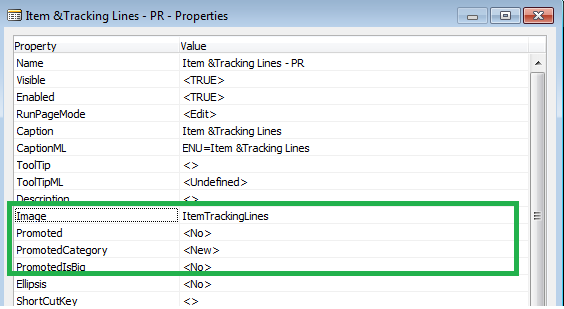
While Developing Pages for Role Tailored Client we face issues when we create an action an set its prompted to true, and want an image for the action. Below is the screenshot of the page property where we set the image for an action in NAV 2013.

Now for the image till NAV 2009 R2 Microsoft doesn't provide a list or look up we need to type in name of the image we want to use. so how can we find the name of image that we want to use.
But in NAV 2013 the image field have a lookup, where we can select the image for icon we want to use in the page.
Below is the image how to select the image.

So keep adding pages in NAV 2013 with images in Icons... Enjoy Development. :)
Regards,
Saurav Dhyani
http://saurav-nav.blogspot.in/
While Developing Pages for Role Tailored Client we face issues when we create an action an set its prompted to true, and want an image for the action. Below is the screenshot of the page property where we set the image for an action in NAV 2013.
Now for the image till NAV 2009 R2 Microsoft doesn't provide a list or look up we need to type in name of the image we want to use. so how can we find the name of image that we want to use.
But in NAV 2013 the image field have a lookup, where we can select the image for icon we want to use in the page.
Below is the image how to select the image.

So keep adding pages in NAV 2013 with images in Icons... Enjoy Development. :)
Regards,
Saurav Dhyani
http://saurav-nav.blogspot.in/
Comments
Post a Comment