NAV 7 or NAV 2013 Revealed


Hi all,

Now a days Convergence 2012 is going on. If you are unable to attend you can view the presentation using the link.

You need to create an account on Virtual Convergence and then from sessions select MS Dynamics NAV. You will find Videos there.

Summary of Microsoft Dynamics NAV "7" : The Overwiew-


1)  NAV 7 was code Name the product is named as Microsoft Dynamics NAV 2013.
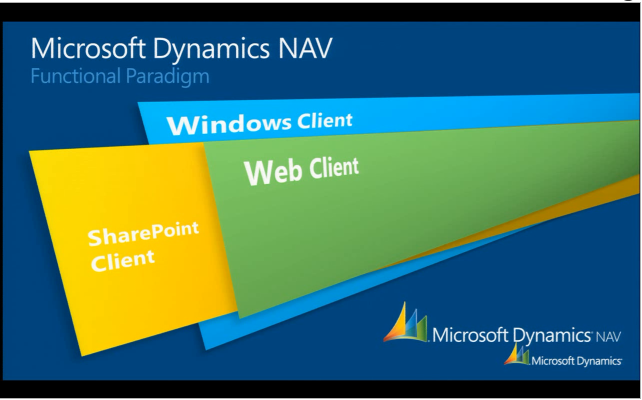
2)  NAV 2013 Comes up with Windows Client, Web Client & SharedPoint Client.
3)  Windows client and Web CLient are Role Tailored Client & Mircorosft Sharepoint.
4)  Deployment Option for NAV 2013 are Deplyoment On Premise, Partner Hosted & Microsoft Hosted.
5)  NAV 2013 One Click Install.
6)  Web client & Windows Client have same look & feel.
7)  NAV 2013 have NO Classic Client (No Forms & Classic Reports).
8)  Only SQL Server & only 64- bit Server.
9)  Three end user scenarios Gain Greater Control,Increase Margins & Drive Growth.
10) New charting capablities.
11) Finally we have Select all (Ctrl+A) in NAV 2013 RTC Client.
12) PowerPivot Integaration.
14) Genric Filters like %My Cust - Fully customizable.
15) Posting in background via jobqueue.
16) Kitting updated and added with navision. Show BOM in the order itself.

Some screenshot of the Presentation are shown below.


Hope we will enjoy working with NAV 2013.

Thanks & Regards,
Saurav Dhyani

Comments

Popular posts from this blog

Dynamics NAV - All that you need to know about MenuSuites.

Hi Readers, This article is based on a request from a blog reader who wanted to understand about MenuSuite in Dynamics NAV. If you have started working with Business central with AL Code then it does not apply to those releases but if you are interested go ahead. Let's start with Future - In Latest and greatest version of product MenuSuite are obsolete and no longer used. So this article applies if you want to learn about C/AL MenuSuite.

How to Set Up NavUserPassword Authentication in Business Central.

Hi Readers, In this article we will discuss steps to Setup NAVUserPassword in Business Central on-prem. NavUserPassword is an authentication method that's handled by Business Central Server, but isn't based on Windows users or Active Directory. Each user is set up with a username and password that's configured inside Business Central only. The user is prompted for username/password credentials when they start the client. #msdyn365bc, #credentialtype

Microsoft Dynamics NAV 2016 - How to Configure Phone Client.

Hi All, In this article we will discuss how we can connect Microsoft Dynamics NAV 2016 with New Client Launched i.e. Phone Client. This Article Contain Steps for a Android Phone as I have Only Android Phone. I am doing it having all tiers on my windows 8 machine, steps remain same for multiple servers but issues might be different. What we Need (Other what we discuss in this article) -  The Service Tier should be on Public IP . Some of the Data-card does not Provide you Public IP. check it for sure.